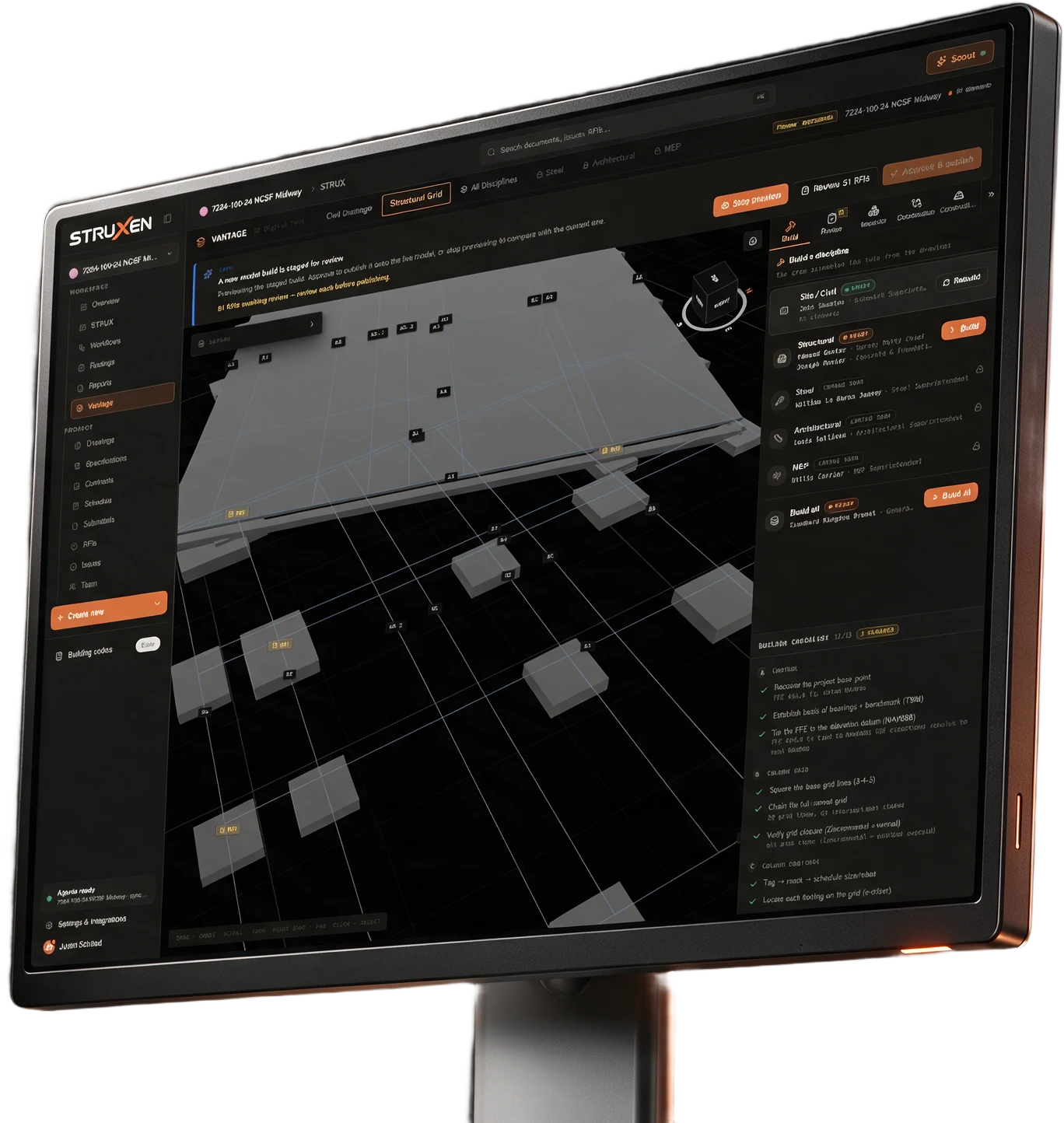
VANTAGE 3D build and review
Constructability review across disciplines, with a 3D build from the drawings.
The build is the review.
Constructability review
Checks the whole set across disciplines. Every finding cites its sheet.
See how it works
A model built from the drawings.
Every element links back to the project record. Click a pipe for its properties, what it connects to, and its submittals, RFIs, spec sections and schedule activities.
Built in a fixed order.
Each layer is the framework the next one attaches to, whatever order the drawings were uploaded in.
No elevation is invented.
The ground surface comes only from printed contour labels and spot elevations. A contour that cannot be tied to a label is reported, not guessed.
Gaps are shown, not hidden.
Where a drawing leaves a gap, the model records it and lists it beside the view.
Checks across the whole set.
A run reads the project’s processed documents, its equipment records, the schedule, and its RFIs and submittals.
Mechanical / HVAC Review
Equipment schedules against plan callouts, duct sizing against scheduled CFM, piping, outdoor air and exhaust, and sequences of operation.
Electrical Systems Review
Panel schedules against load calculations, one-line consistency, emergency and standby power, and power to mechanical equipment.
Life Safety & Egress Review
Egress paths and exit capacity, fire-rated assemblies, fire alarm and sprinkler coverage, and accessibility.
Specification vs Drawing Consistency
Each discipline’s spec sections against its drawings: mechanical, electrical, plumbing, fire protection and structural.
Structural Coordination Review
MEP penetrations through structure, equipment loads on framing, embeds and anchors, rooftop equipment, and below-grade utilities.
Cross-Discipline Coordination
Ceiling plenum conflicts, mechanical and electrical rooms, shafts and risers, conflicting notes, and scope between trades.
Your own checklist
Your team’s own checks, started from Workflows.
Investigate
Describe the check in plain language, and the run builds its own set of checks from the question.
Every finding cites its sheet.
One queue, triaged the same way whichever check produced the finding.
Citations.
Each finding carries the documents, sheets and pages it came from. A citation that resolves opens that sheet at the right page.
A second review.
Before findings are published, a second, stronger model reviews the high and critical ones.
Your team decides.
Accept, dismiss or resolve each one. Create RFI drafts the RFI from the finding, with its citations, and opens it for editing before anything is created.
The rest of the platform.
Struxen Core Project management Free
The record of the job: drawings, specs, RFIs, submittals, schedule, daily logs, punch, meetings, inspections and photos.
More on Struxen CoreSTRUX AI agents
Ask, compare and draft across the whole record, and talk to it hands free.
More on STRUXLedger Financials
The money on the same record: budget, commitments, change orders, pay applications and retainage.
More on LedgerACx Commissioning
Prove the building’s systems work before turnover.
More on ACx