AI-native construction management.
One platform runs the job. AI works across all of it, so the team you have gets more done.
Where the AI lives decides what it can do.
Lives outside of your platform
- Trunk Tools
- Works across the platforms you already use.
- One more system for your team to learn.
- Two vendors. Two contracts. Two bills.
- Sees your job through another company’s API.
- New AI, still reading the old platform.
Bolted on
- Procore
- Autodesk Forma
- Trimble
- Keeps the platform you have.
- A lot promised. Less delivered.
- Saves clicks, not money.
- Your team gets faster at forms, not better at building.
- The same old workflows, now with a chat box.
The Struxen way
Built in
- Struxen
- One platform. One login. One record.
- Reviews the whole set. Redlines each problem on its sheet.
- Built on field knowledge from working builders.
- Project management is free.
- You switch platforms. Start with one job.
Already on Procore?
Then you know how RFIs work. Here are the ones you were about to send.
RFI-001
“Is it cheaper?”
Free beats a quote.
- Procore
- Quote only. An annual fee for each product, set by your annual construction volume.
- Struxen
- Struxen Core is free. See pricing
RFI-002
“Procore already does it all.”
One platform, built as one.
- Procore
- Its newest AI was bought: Datagrid, acquired in January 2026 and built into Procore that May.
- Struxen
- Five products on one project record, behind one login.
- Struxen Core Project management Free
- STRUX AI agents
- VANTAGE 3D build and review
- Ledger Financials
- ACx Commissioning
RFI-003
“Procore has AI agents now.”
Not just agents. AI that works in the background.
- Procore
- Ask the side panel. Deploy an agent. Build and automate your own. Someone has to run all that.
- Struxen
- With STRUX on the job, uploads are read and indexed without anyone asking, and standing agents draft the follow-ups on their schedule. Nothing goes out unless your team allows it. What runs in the background
RFI-004
“So I have to switch everything?”
No. Start one job next to Procore.
Keep Procore on the jobs it runs and put the next one on Struxen. Struxen Core is free, so finding out costs nothing.
Amplified, not replaced.
The AI works alongside your team on the work it already does. Things just get done, and your people stay in charge.
It works where your team works.
RFIs get drafted, submittals get checked and questions get answered in the screens your team already uses.
Nobody manages the AI.
It runs in the background, and its work lands where your team already looks.
Your people make the calls.
Nothing goes out unless your team allows it. Every answer cites the sheet it came from.
Five products. One record.
FoundationFree
Struxen Core Project management
The record of the job: drawings, specs, RFIs, submittals, schedule, daily logs, punch, meetings, inspections and photos.
More on Struxen CoreRiser, every level
STRUX AI agents
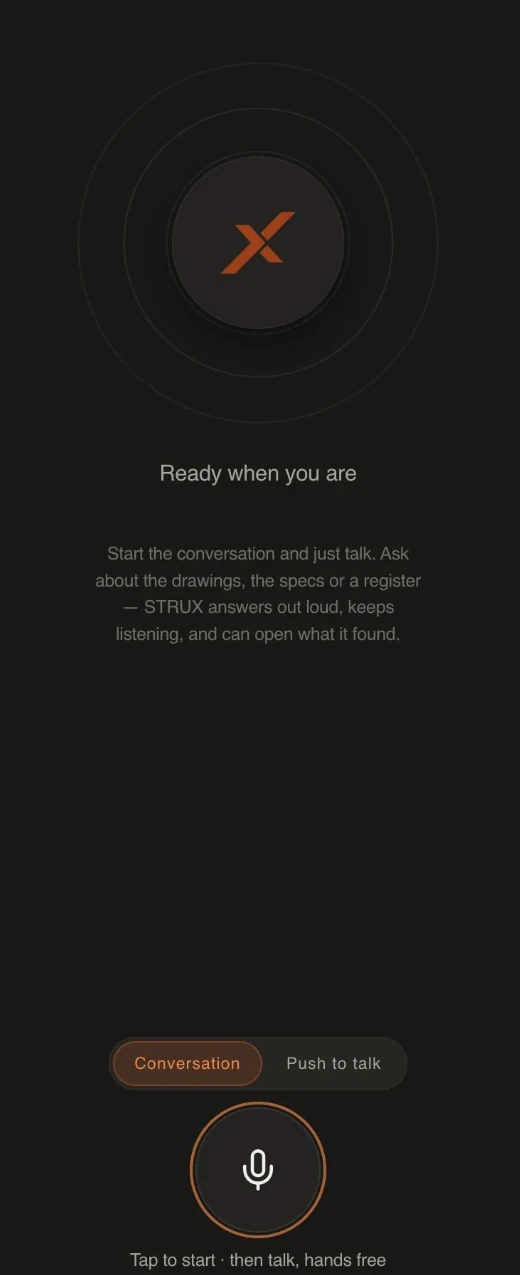
Ask, compare and draft across the whole record, and talk to it hands free.
Riser, every level
VANTAGE 3D build and review
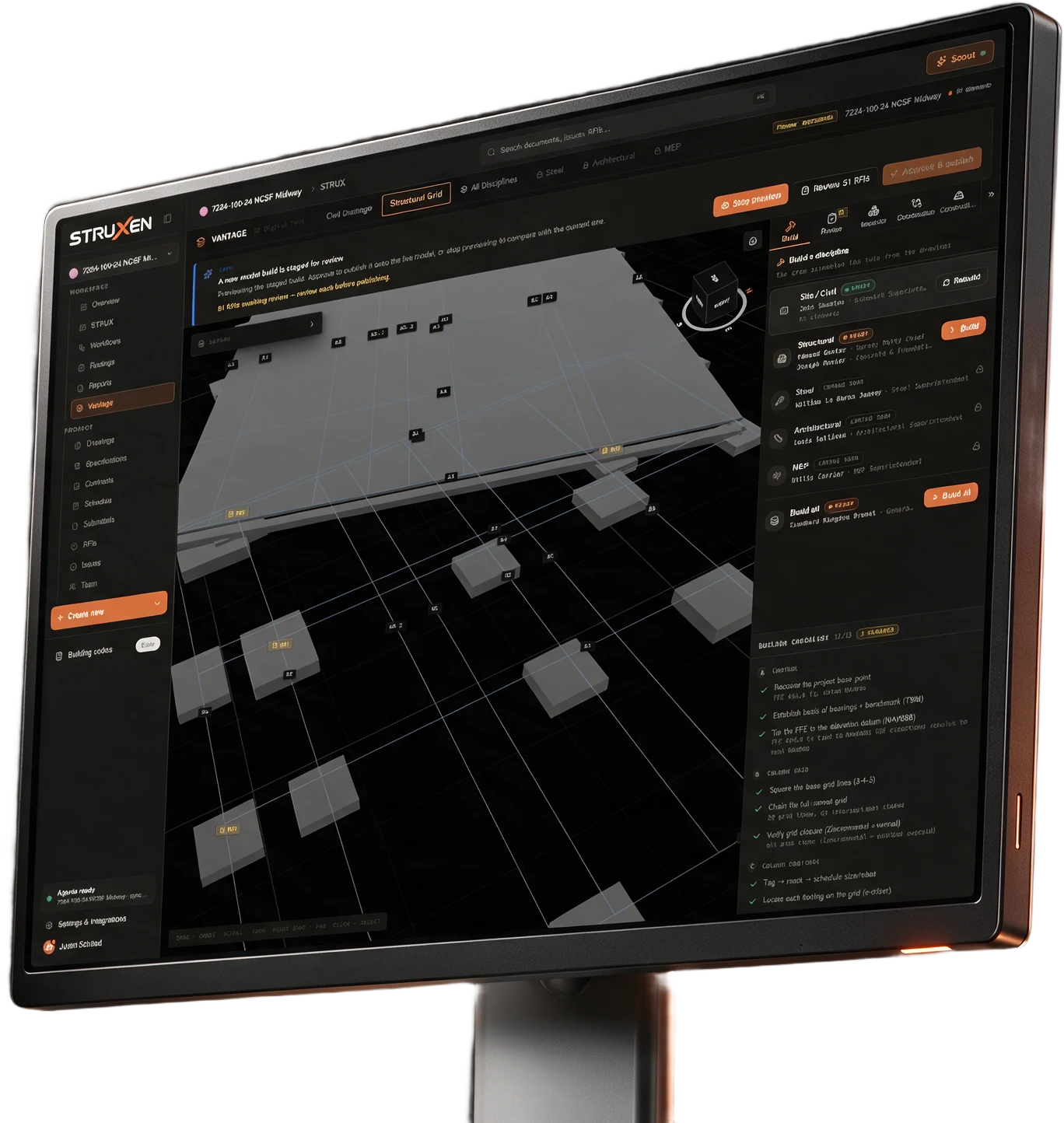
Constructability review across disciplines, with a 3D build from the drawings.
Level 1
Ledger Financials
The money on the same record: budget, commitments, change orders, pay applications and retainage.
More on LedgerStruxen Core Project management Free
The record of the job: drawings, specs, RFIs, submittals, schedule, daily logs, punch, meetings, inspections and photos.
More on Struxen CoreSTRUX AI agents
Ask, compare and draft across the whole record, and talk to it hands free.
More on STRUXVANTAGE 3D build and review
Constructability review across disciplines, with a 3D build from the drawings.
More on VANTAGELedger Financials
The money on the same record: budget, commitments, change orders, pay applications and retainage.
More on Ledger
Struxen Core Project management
Free.
Drawings
Every sheet, at its current revision.
Specs
The project manual, by CSI division.
RFIs
Questions, replies and the official response.
Submittals
Routed through review and stamped.
Schedule
A Gantt and a lookahead board.
Daily logs
One log a day, locked once complete.
Punch
Who fixes it, who checks it, who signs off.
Meetings
Agenda to minutes. Open items carry forward.
Inspections
A failed line becomes a punch item.
Photos
Filed by day, tagged by trade and location.
STRUX AI agents
Ask, compare and draft across the whole record, and talk to it hands free.
Submittal review
Each submittal checked against the spec, with a verdict.
Revision comparison
What changed between two sets, located on the sheet.
RFIs
Drafted and cited to the sheet. Your team approves each one before it’s created.
Field questions
Ask about the drawings or specs. Answers cite the sheet.
Talk to the job.
Tap once, then talk. Struxen answers out loud and keeps listening.
The morning drive.
Ask what’s on today: weather, the schedule, open RFIs, safety and punch, one at a time.
Walking the site.
Ask about a sheet or a spec section. It finds it and can open it on your screen. Push to talk when it’s loud.
The drive home.
Talk through the day. Field Notes turns it into daily log entries for you to confirm.

Ready when you are
Start the conversation and just talk. Ask about the drawings, the specs or a register. STRUX answers out loud, keeps listening, and can open what it found.
VANTAGE 3D build and review
Constructability review
Checks the whole set across disciplines. Every finding cites its sheet.
See how it works
Ledger Financials
Run the job’s money. A dollar entered once shows up everywhere it belongs.
Budget
Committed costs, changes and forecast on every line.
Commitments
Subcontracts and POs, and the changes that revise them.
Change orders
Price each change and promote it to an owner change order.
Pay applications
Bill the owner each period against the schedule of values.
Retainage
What you hold from subs, and what the owner holds from you.
Direct costs
Labor, material and equipment outside a commitment.
Reporting
The WIP schedule and the month’s accounting export.
ACx Commissioning
Prove the building’s systems work before turnover.
Equipment register
Built from the MEP drawings, one row per tag.
Checklists
Pre-functional, installation and startup, done in the field.
Functional tests
Held to expected values. TAB readings checked against the design.
Issues log
Every deficiency, tracked to closeout.
Site visits
Numbered field reports with weather, attendees and photos.
Reports
The final commissioning report, built from the record.
Works with your tools.
Upload the PDF set you already have.
Push new RFIs and issues to Autodesk Forma, formerly Autodesk Construction Cloud.
Autodesk stays the source of truth.